
Computers
Computers – Desktop PCs, Full Sets & Computer Parts
No products found.
Computers for Work, Study and Everyday Use
Computers are useful for office work, education, business, entertainment, design, programming, and everyday digital tasks. Buyers can choose desktop computers, complete computer sets, or individual components based on their requirements.
A Computer Desktop is a practical choice for users who need a fixed workstation. Desktop systems can offer upgradeable components, larger displays, and flexible configurations. They are commonly used at home, offices, schools, shops, and professional workplaces.
Computer Full Set Options
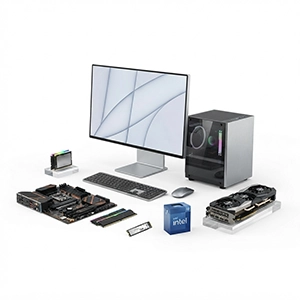
A computer full set generally includes the main components required for a desktop setup. Depending on the product, this may include a desktop or CPU, monitor, keyboard, and mouse. Some packages may include additional accessories.
Before purchasing a complete setup, check exactly what is included. Monitor size, processor, RAM, storage, operating system, and warranty can vary between products.
Computer Parts and Components
Individual computer parts allow users to build, repair, or upgrade a desktop. Common components include processors, motherboards, RAM, storage drives, graphics cards, power supplies, computer cases, cooling components, and monitors.
Choosing compatible components is important. Check socket type, motherboard compatibility, RAM support, power requirements, storage interfaces, and cabinet size before upgrading or assembling a computer.
Brands and Available Choices
Computers and components are available from brands such as Dell, HP, Lenovo, Acer, ASUS, MSI, Intel, AMD, and other manufacturers. Product specifications vary across brands and models.
When comparing computer price, look at the complete specification rather than the processor or storage alone. A computer with more RAM, faster storage, or a dedicated graphics card may be designed for different workloads.
Everyday Uses
Computers can support document creation, spreadsheets, accounting, online learning, video meetings, web browsing, programming, photo editing, video editing, gaming, and business applications.
Pros and Cons
Pros:
Suitable for many types of work
Desktop components can often be upgraded
Larger displays are available
Wide range of configurations
Useful for professional and educational tasks
Cons:
Desktop computers require dedicated space
Complete setups can need multiple accessories
Component compatibility requires attention
Higher-performance configurations can cost more
Who Should Choose Computers?
Computers are suitable for students, professionals, businesses, gamers, creators, programmers, and home users. Choose a system based on your workload, software requirements, upgrade plans, available space, and budget.