
Keyboards
Keyboards – Wireless & Wired Computer Keyboards for Typing
No products found.
Keyboards for Typing, Work and Everyday Computing
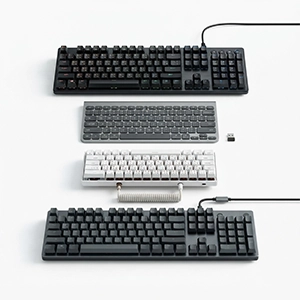
A keyboard is an essential computer accessory for typing, browsing, office work, study, and gaming. Different keyboard designs are available for desktops, laptops, smart TVs, tablets, and other compatible devices. Buyers can choose from compact, full-size, mechanical, membrane, wireless, and wired models.
If you are searching for the best keyboard for typing, consider the key layout, key response, comfort, connectivity, size, and overall build. The right keyboard can make long typing sessions more comfortable and efficient.
Key Features
A modern keyboard computer accessory may include a full-size layout, numeric keypad, multimedia keys, shortcut buttons, adjustable stands, and spill-resistant construction. Some models also feature backlit keys for easier use in low-light environments.
Mechanical keyboards use individual switches under the keys. They are popular with users who prefer distinct key feedback and a specific typing feel. Membrane keyboards are generally designed for quieter and simpler everyday use.
Wireless and Wired Keyboards
A keyboard wireless model connects without a traditional data cable. It can help keep a desk tidy and is convenient for users who move their keyboard between compatible devices. Battery or rechargeable power is required, depending on the model.
A keyboard wired model connects directly through a cable, commonly using USB. It does not normally require separate battery charging and can be a practical choice for desktops, offices, gaming setups, and fixed workstations.
Popular Brands and Choices
Keyboards are available from brands such as Logitech, HP, Dell, Lenovo, Zebronics, Redragon, Microsoft, and other manufacturers. Features and compatibility vary between models. Check the connection type and supported operating systems before purchasing.
Everyday Uses
Keyboards are useful for writing documents, emails, spreadsheets, coding, online learning, searching the web, gaming, and data entry. A comfortable layout can be particularly useful for people who type for several hours each day.
Pros and Cons
Pros:
Faster and easier text entry
Multiple sizes and layouts available
Wired and wireless choices
Useful for work, study, and gaming
Many ergonomic and compact options
Cons:
Wireless models require batteries or charging
Mechanical models can be louder
Compact keyboards may lack a numeric keypad
Compatibility varies between devices
Who Should Choose a Keyboard?
Keyboards are suitable for students, office users, writers, programmers, gamers, data-entry professionals, and home computer users. Choose the model based on typing habits, available desk space, connectivity needs, and the device you plan to use.