
Monitors
Monitors – PC and Computer Displays for Work, Gaming & Everyday Use
No products found.
Choose the Right Monitor for Your Computer
Monitors are display devices used with desktop computers and other compatible devices. They show text, images, videos, software, games, and other digital content. A good monitor can make everyday computing more comfortable and productive.
When choosing monitors for PC, consider screen size, resolution, refresh rate, panel type, response time, connectivity, and ergonomics. Your work and viewing needs should guide your choice.
Key Features to Consider
Screen size affects how much content you can view at once. Full HD monitors are suitable for many everyday tasks. Higher-resolution displays can provide sharper images and more workspace.
Refresh rate is important for gaming and fast-moving content. A higher refresh rate can provide smoother motion when the computer and application support it. Response time also matters for gaming and other fast-moving visuals.
Connectivity is another important feature. HDMI, DisplayPort, USB, and other ports may be available depending on the model. Check the ports on your computer before buying.
Popular Monitor Brands
Popular brands in the Indian market include Dell, HP, Lenovo, LG, Samsung, Acer, ASUS, and BenQ. Models differ in size, resolution, features, and price.
A monitor can be paired with a desktop computer, and some models can also work with laptops. The phrase monitor for laptop generally refers to an external display connected to a compatible laptop.
Pros and Cons
Pros:
Provides a larger viewing area.
Useful for work and entertainment.
Multiple sizes and resolutions are available.
Can improve multitasking.
Suitable for gaming and creative work.
Cons:
Requires additional desk space.
Some advanced models can be expensive.
Compatibility depends on available ports.
Larger displays can be less convenient for small workspaces.
Who Should Buy a Monitor?
Monitors are suitable for students, office workers, programmers, designers, content creators, gamers, and home users. A larger display can help with spreadsheets, documents, coding, and multitasking. Gaming monitors can offer features designed for smoother gameplay.
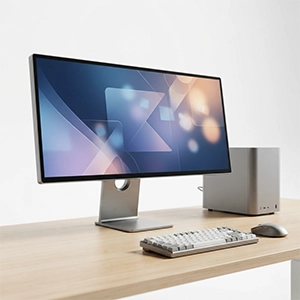
For desktop users, a CPU monitor PC setup normally includes a computer tower and a separate monitor. The term monitor of computer simply refers to the display used to view the computer's output.
Why Choose an External Monitor?
A dedicated monitor can provide more screen space than many built-in laptop displays. It can also make long work sessions more convenient when the screen size, height, and viewing position are suitable. Before purchasing, compare resolution, size, refresh rate, panel technology, ports, stand adjustment, warranty, and your intended use.